

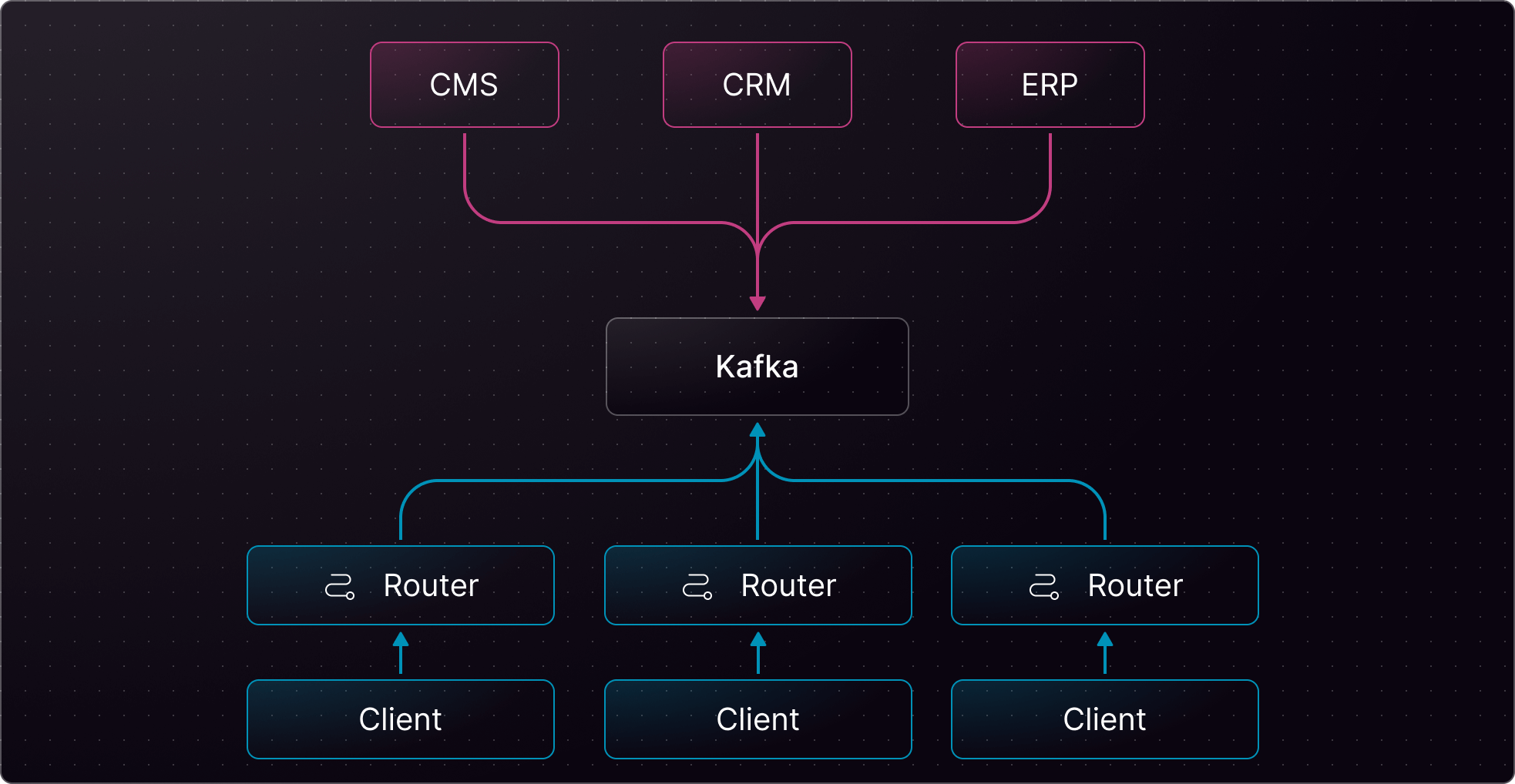
Kafka system connecting CMS, CRM, and ERP to routers via Cosmo Streams
Minimum requirements
Kafka topic arguments support the same argument template syntax as the other event providers, for example
employeeUpdated.{{ args.employeeID }}.
When you use topic templates with Kafka, you must create the resulting name as a Kafka topic in your broker ahead of time. The Router does not create Kafka topics automatically.Full schema example
Below is a comprehensive example of how to use Kafka with Cosmo Streams. This guide covers publish, subscribe, and the filter directive. All examples can be modified to suit your specific needs. The schema directives andedfs__* types belong to the Cosmo Streams schema contract and must not be modified.
Router configuration
Based on the example above, you will need a compatible router configuration.Example Query
In the example query below, one or more subgraphs have been implemented alongside the Event-Driven Graph to resolve any other fields defined onEmployee, e.g., tag and details.surname.
System diagram
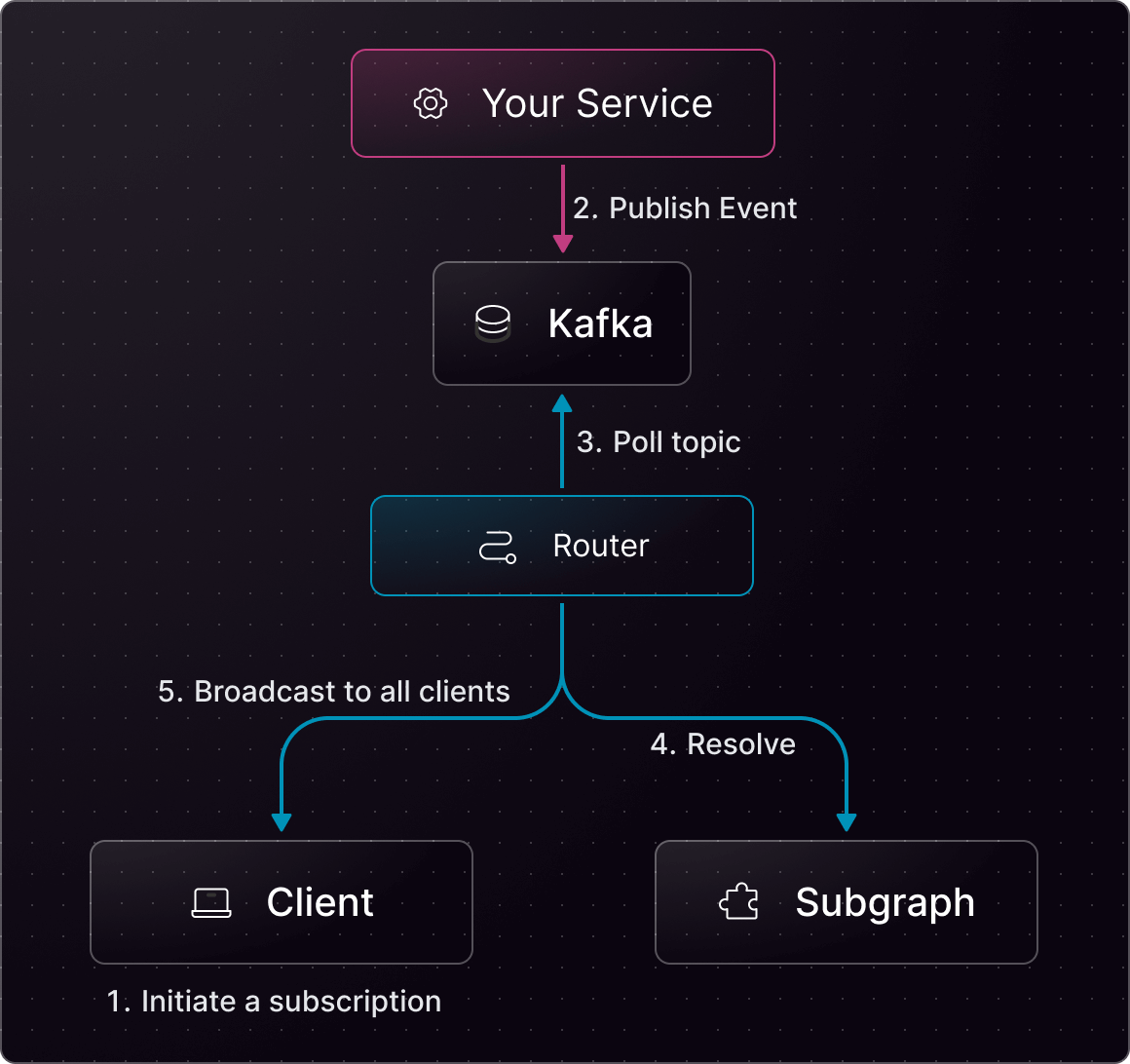
Service–Kafka–Router interaction showing event flow and subscriptions