> ## Documentation Index
> Fetch the complete documentation index at: https://cosmo-docs.wundergraph.com/llms.txt
> Use this file to discover all available pages before exploring further.
# Playground++
> Enhanced GraphiQL with Advanced Request Tracing to test and optimize your queries
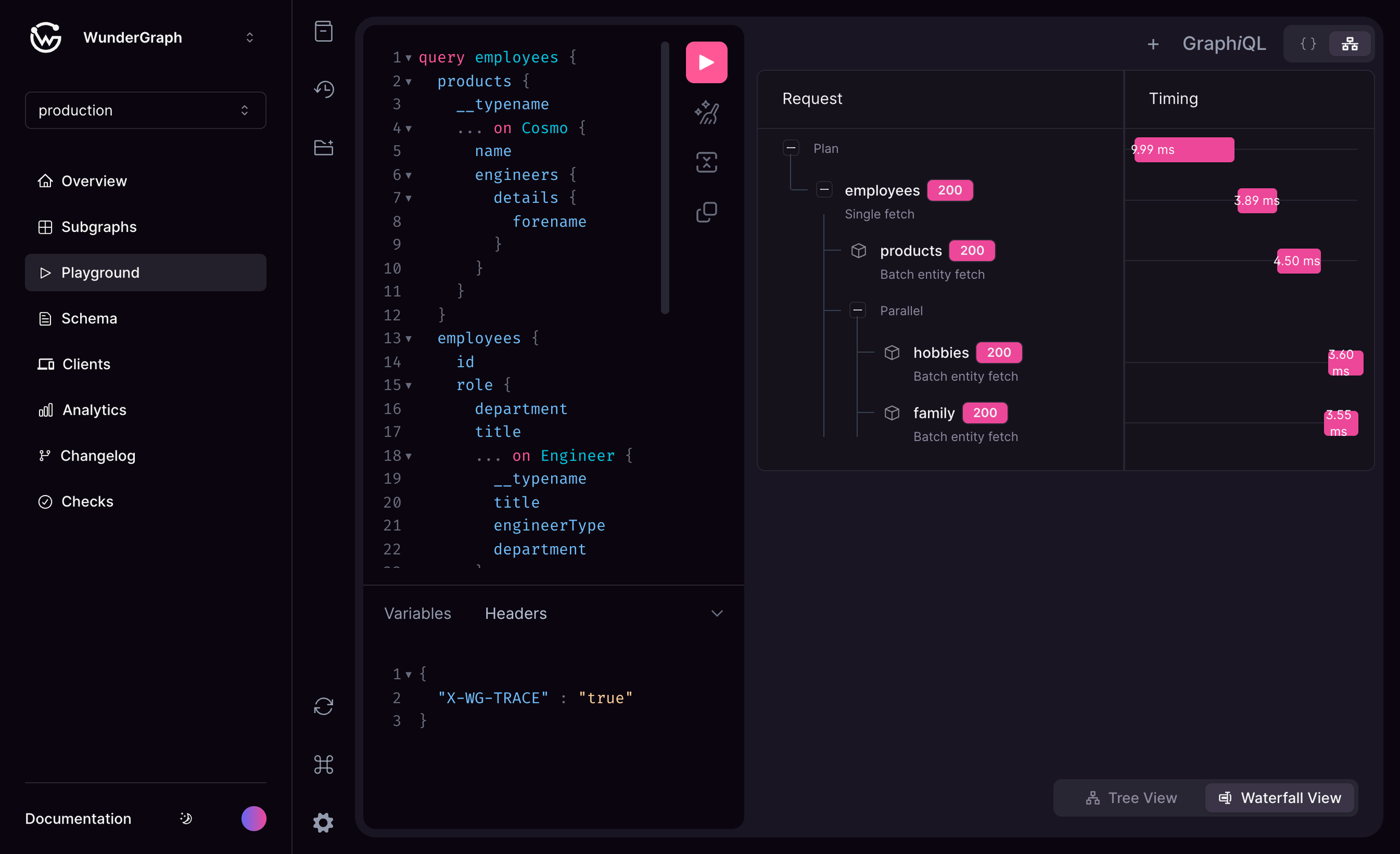
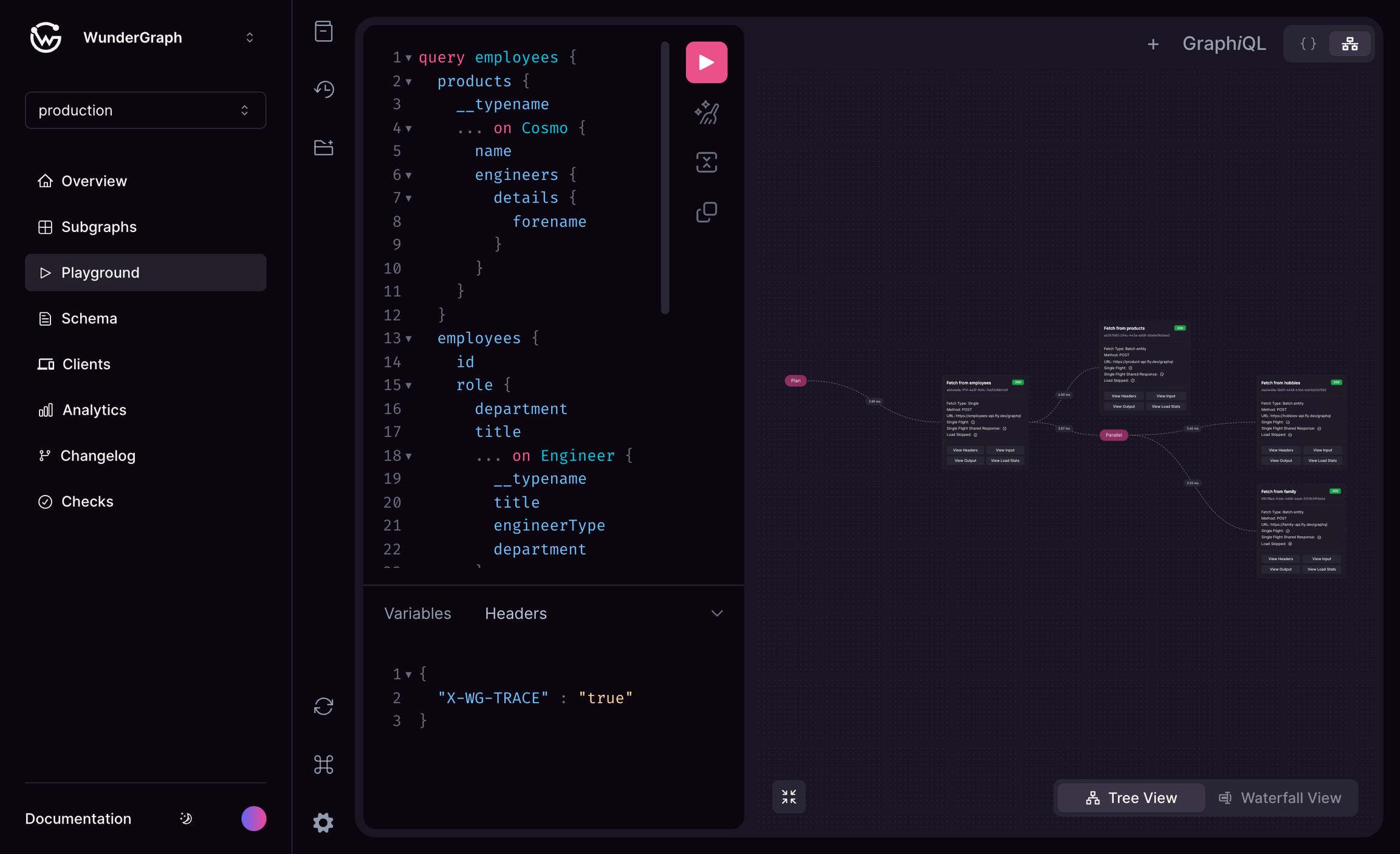 The playground is enhanced with visual representations of the query execution plan along with details like timings, inputs, and outputs for each subgraph and much more. The `X-WG-TRACE` header must be included to enable the visualization. It is available in 2 modes tree view and waterfall view.
For more information about Advanced Request Tracing (ART) click [here](/router/advanced-request-tracing-art)
The playground is enhanced with visual representations of the query execution plan along with details like timings, inputs, and outputs for each subgraph and much more. The `X-WG-TRACE` header must be included to enable the visualization. It is available in 2 modes tree view and waterfall view.
For more information about Advanced Request Tracing (ART) click [here](/router/advanced-request-tracing-art)