> ## Documentation Index
> Fetch the complete documentation index at: https://cosmo-docs.wundergraph.com/llms.txt
> Use this file to discover all available pages before exploring further.
# Overrides
> Override the result of operation checks for breaking changes that affect individual operations that you deem safe. Overrides are active across all graphs in a namespace.
## Configuring overrides
As part of a schema check, we detect breaking changes and then run operation checks to determine which operations are affected based on real traffic. On the check page, you can configure overrides to either ignore specific breaking changes for an operation or ignore the entire operation in future checks.
Overrides only apply to operation checks. Breaking changes will still be detected and reported — overrides let you either ignore specific breaking changes for an operation or ignore the entire operation during operation checks. They do not affect other parts of a schema check such as composition, breaking change detection, or linting.
Applying overrides will not change the outcome of the current check run. Only future checks will take them into account.
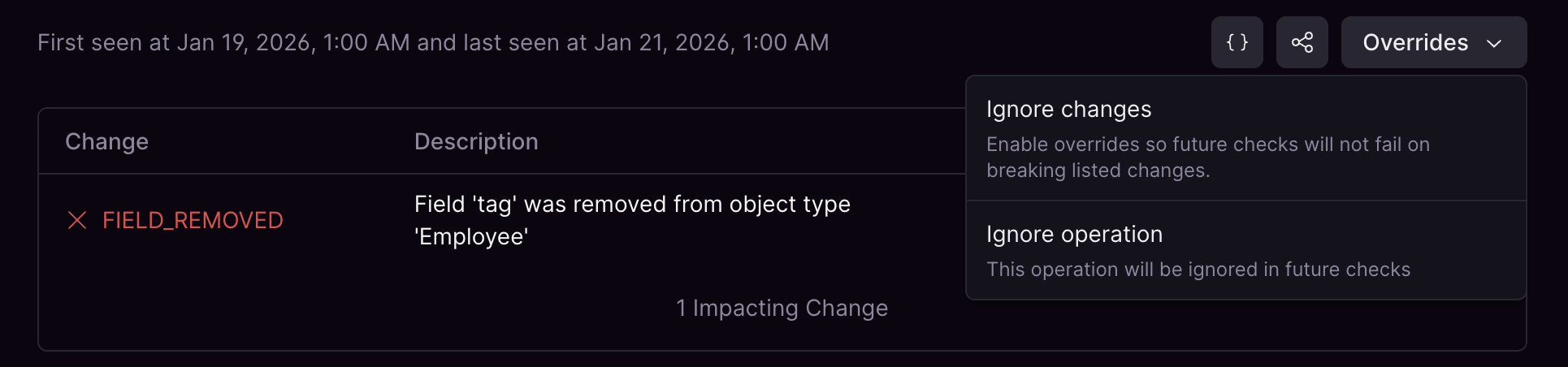
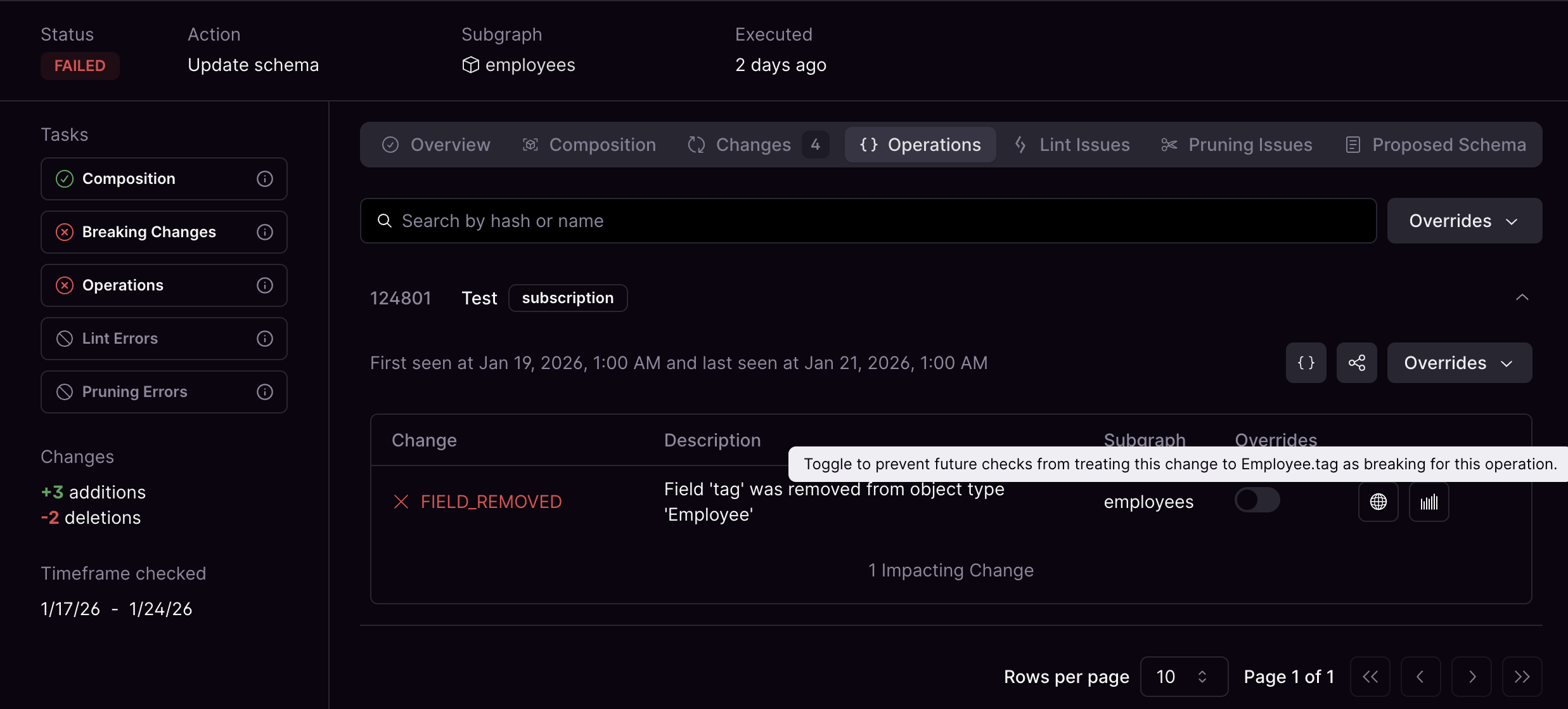 You can toggle overrides for all changes from the **Overrides** menu. Select **Ignore all changes** to apply overrides so future checks do not treat the listed breaking changes as breaking for the operation. Select **Ignore operation** to exclude the entire operation from future checks.
 ## Viewing all overrides
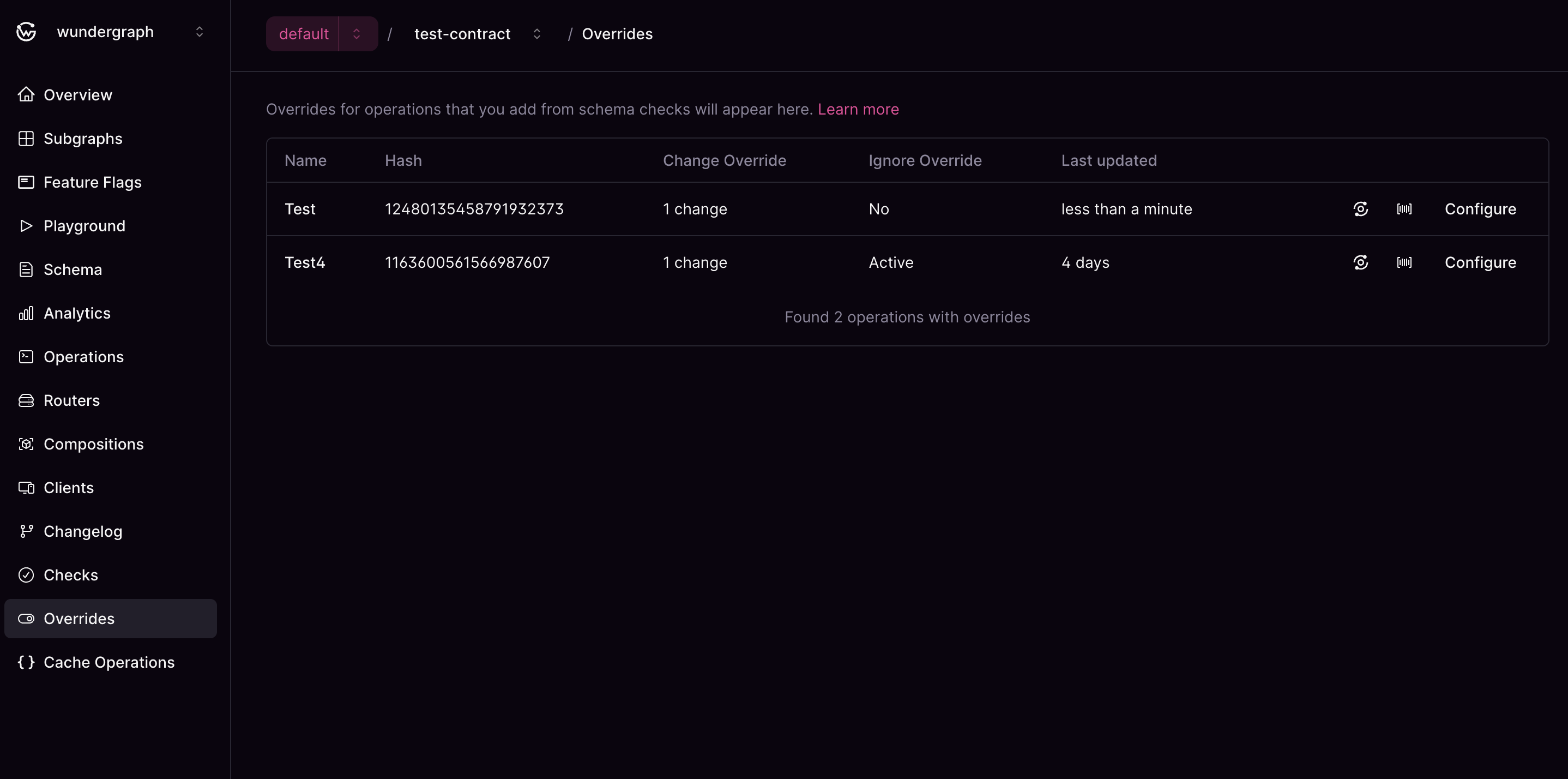
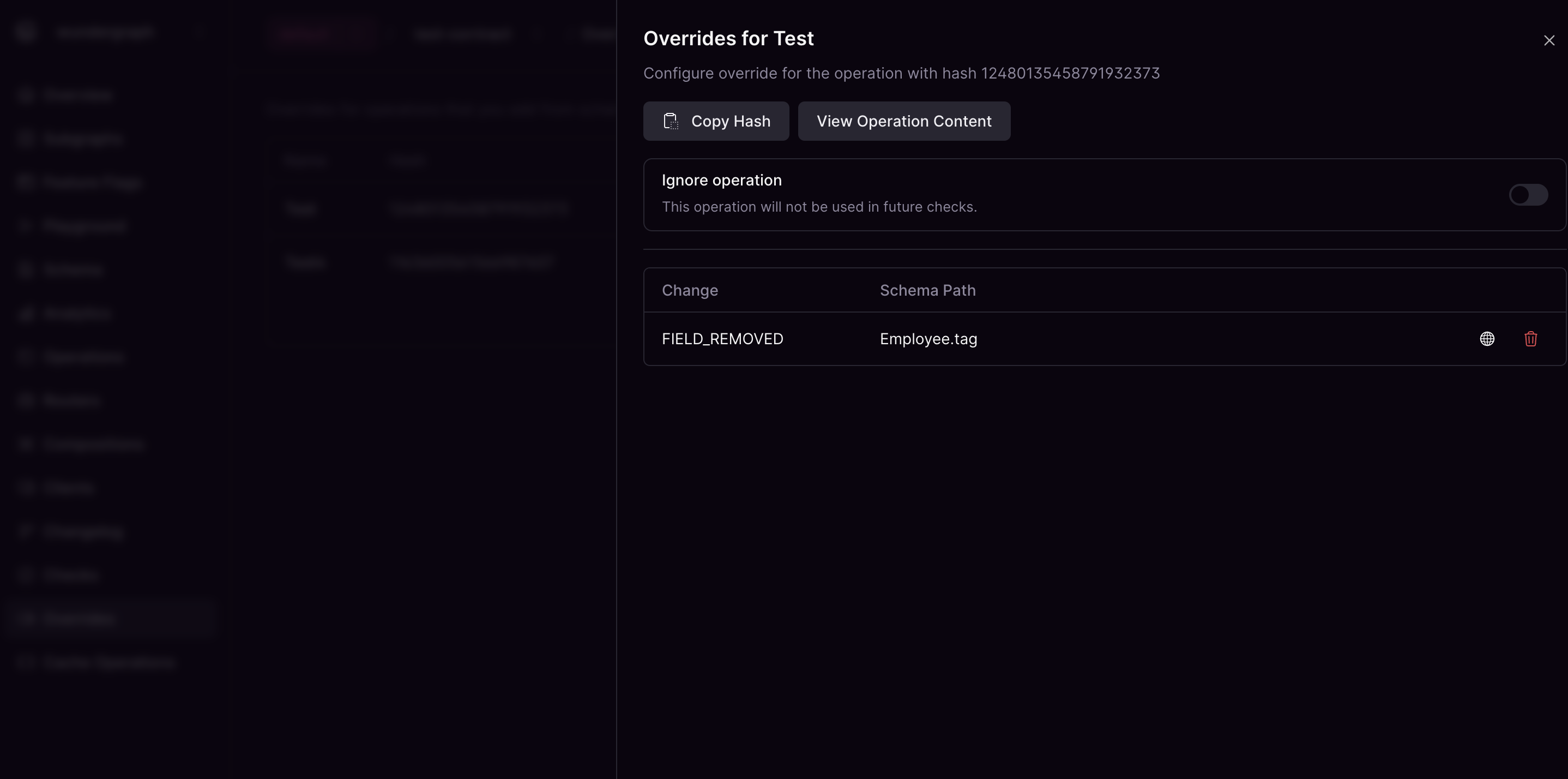
You can view all overrides in a single place. From here you can open the configuration to fine tune existing overrides or go to metrics/traces to check current usage.
## Viewing all overrides
You can view all overrides in a single place. From here you can open the configuration to fine tune existing overrides or go to metrics/traces to check current usage.