> ## Documentation Index
> Fetch the complete documentation index at: https://cosmo-docs.wundergraph.com/llms.txt
> Use this file to discover all available pages before exploring further.

# Compositions

> Comprehensive records detailing every instance of a subgraph publication.
<Frame>
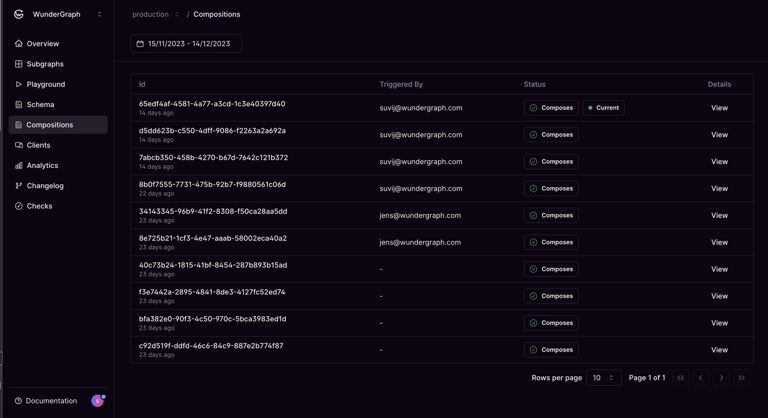
  <img src="https://mintcdn.com/wundergraphinc/RN72sgIyfy9HBPRO/images/studio/compositions-list-with-composes-status.png?fit=max&auto=format&n=RN72sgIyfy9HBPRO&q=85&s=75c6e67e6fa699b558ab81e4e1cb778b" alt="Cosmo Docs compositions list with green Composes status icons" title="Compositions list with Composes status" width="768" height="418" data-path="images/studio/compositions-list-with-composes-status.png" />
</Frame>

The highlights of the compositions page are as follows:

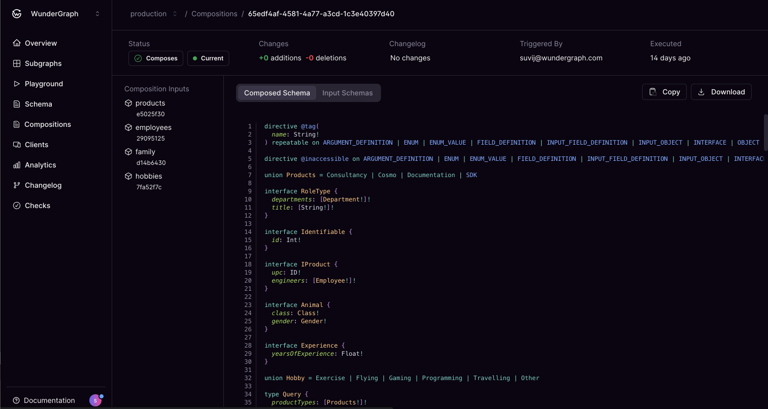
* Track the inputs and the errors of every composition.

* Track every version of your composed schema.

* View the changes in the federated graph after each composition.

* Understand what version is currently available to the router.
<Frame>
  <img src="https://mintcdn.com/wundergraphinc/nR5X5HWNIS7xjYKE/images/studio/schema-composed-successfully-without-changes.png?fit=max&auto=format&n=nR5X5HWNIS7xjYKE&q=85&s=a3a43ccecbdd05756647547d0550558b" alt="Composed schema with no changes and trigger from suvj@wundergraph.com in Cosmo Docs" title="Schema composed successfully without changes" width="768" height="409" data-path="images/studio/schema-composed-successfully-without-changes.png" />
</Frame>

<br />

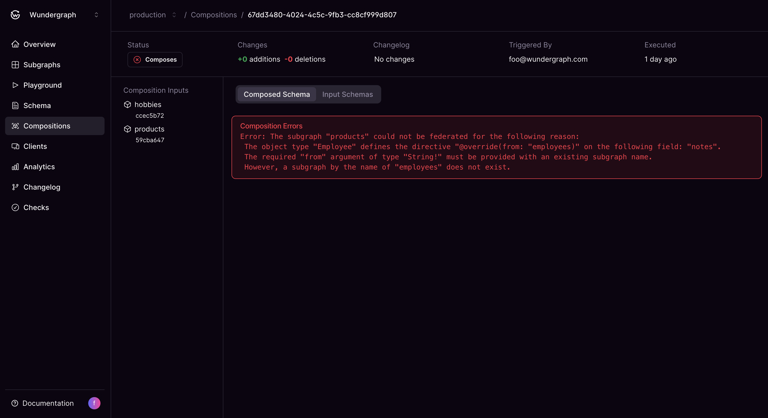
<Frame caption="Composition errors">
  <img src="https://mintcdn.com/wundergraphinc/RN72sgIyfy9HBPRO/images/studio/composition-error-from-missing-field.png?fit=max&auto=format&n=RN72sgIyfy9HBPRO&q=85&s=223420763a3eceead2a333c3d636fdcd" alt="Cosmo Docs composition error caused by missing schema field" title="Composition error from missing field" width="768" height="418" data-path="images/studio/composition-error-from-missing-field.png" />
</Frame>