> ## Documentation Index
> Fetch the complete documentation index at: https://cosmo-docs.wundergraph.com/llms.txt
> Use this file to discover all available pages before exploring further.
# Download & Install
> Learn how to download and install the router
## Download
On every router release, we attach official binaries for all available platforms. [Here](https://github.com/wundergraph/cosmo/releases?q=router\&expanded=true) is the list of available router releases.
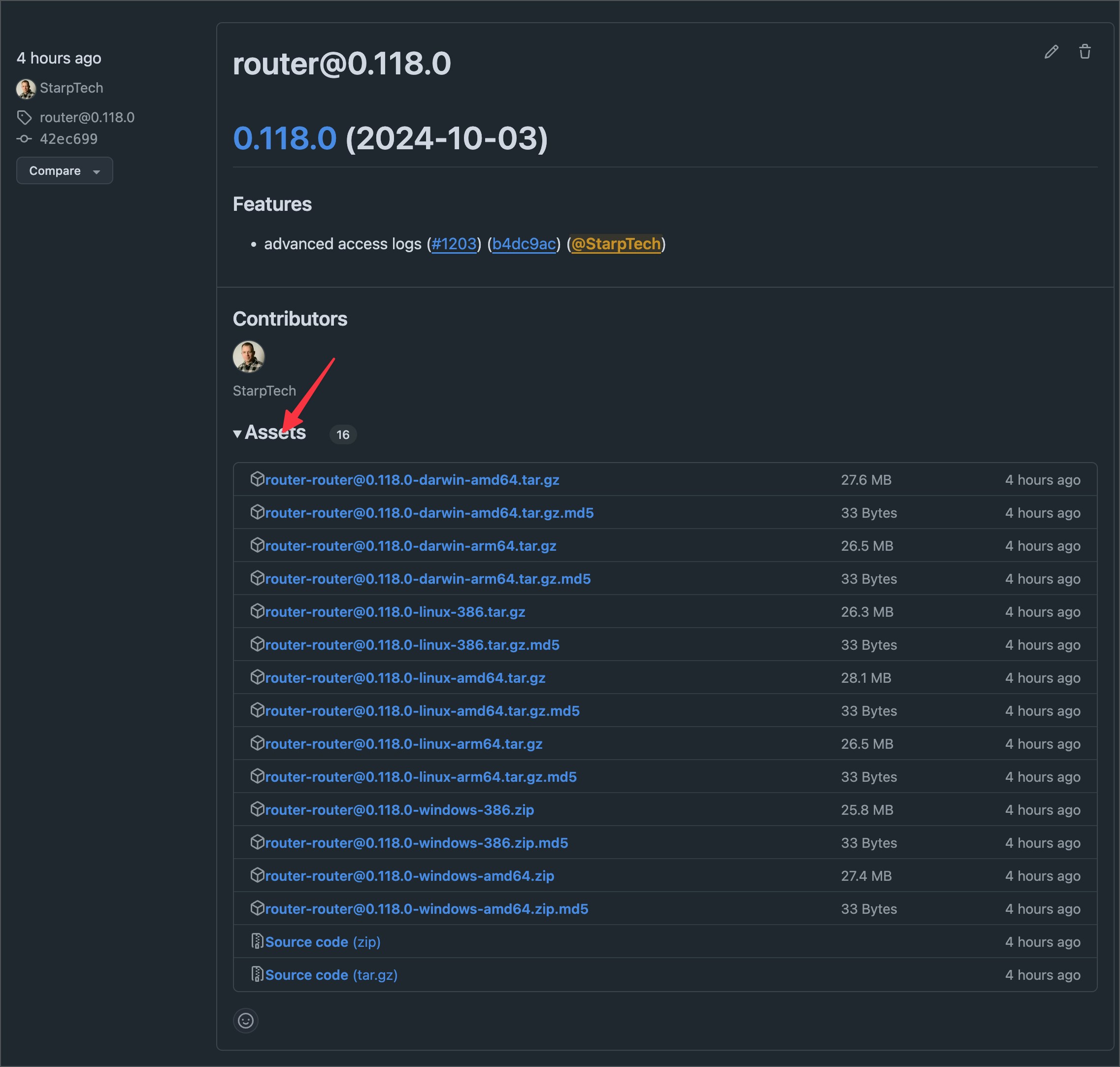 If you are unsure which binary is for what platform please take the following table as a reference.
| Binary | OS/Architecture |
| ------------- | ----------------------------------- |
| darwin-amd64 | MacOS (Intel 64 bit) |
| darwin-arm64 | MacOS (Apple Silicon 64 bit \[M1+]) |
| linux-386 | Linux 32 bit |
| linux-amd64 | Linux AMD 64 bit |
| linux-arm64 | Linux ARM 64 bit |
| windows-386 | Windows 32 bit |
| windows-amd64 | Windows 64 bit |
## Docker
You can also run the router with docker. On every release, we also push a docker image. [Here](https://github.com/wundergraph/cosmo/pkgs/container/cosmo%2Frouter) is the docker repository of the router. If you are looking for an easy way to find the right docker instructions, navigate to your dashboard and click on "Run router locally".
If you are unsure which binary is for what platform please take the following table as a reference.
| Binary | OS/Architecture |
| ------------- | ----------------------------------- |
| darwin-amd64 | MacOS (Intel 64 bit) |
| darwin-arm64 | MacOS (Apple Silicon 64 bit \[M1+]) |
| linux-386 | Linux 32 bit |
| linux-amd64 | Linux AMD 64 bit |
| linux-arm64 | Linux ARM 64 bit |
| windows-386 | Windows 32 bit |
| windows-amd64 | Windows 64 bit |
## Docker
You can also run the router with docker. On every release, we also push a docker image. [Here](https://github.com/wundergraph/cosmo/pkgs/container/cosmo%2Frouter) is the docker repository of the router. If you are looking for an easy way to find the right docker instructions, navigate to your dashboard and click on "Run router locally".
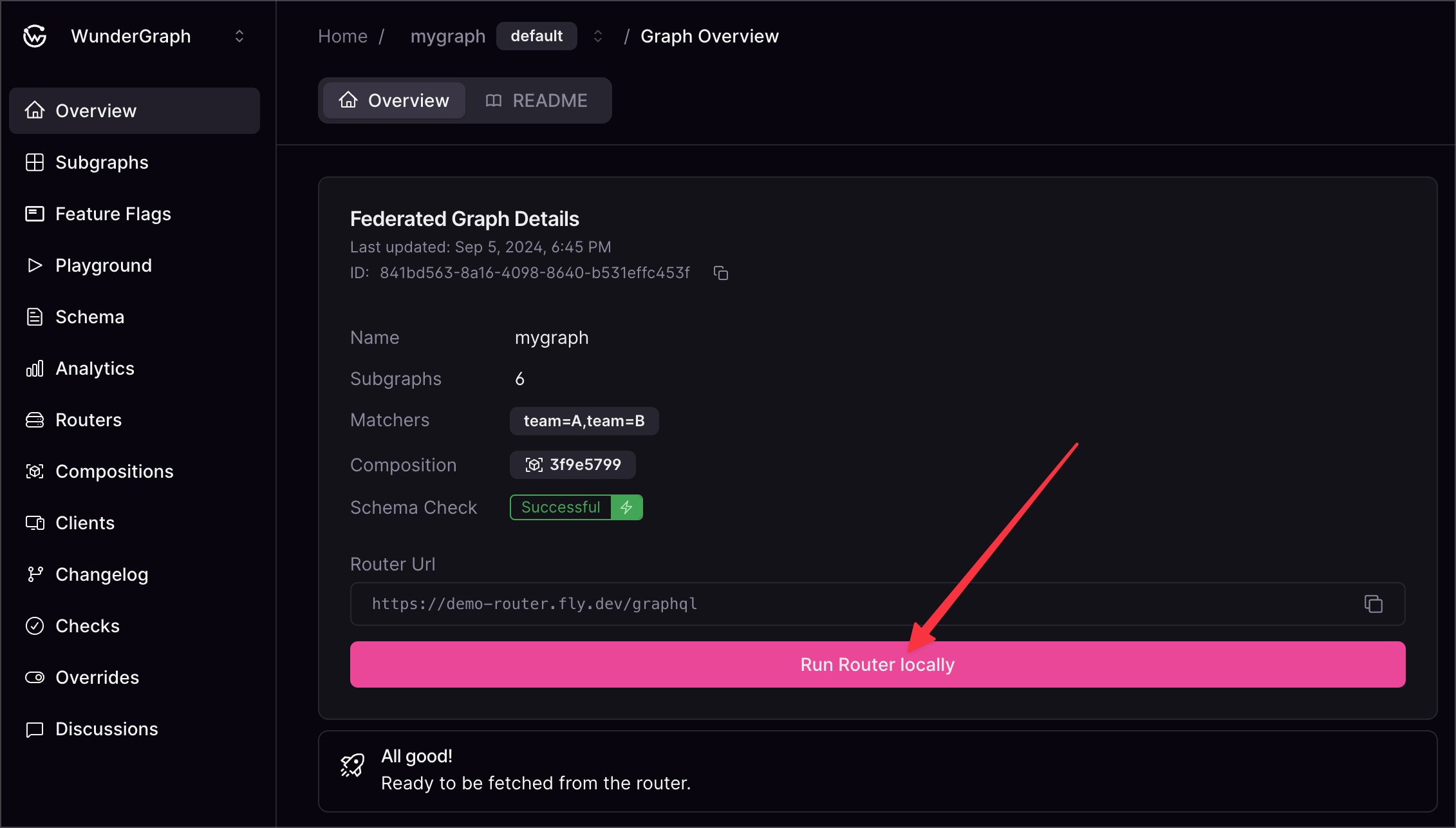 The output will look like this but with your own `GRAPH_API_TOKEN`.
```bash theme={"system"}
docker run \
--name cosmo-router \
--rm \
-p 3002:3002 \
--add-host=host.docker.internal:host-gateway \
--pull always \
-e DEV_MODE=true \
-e LISTEN_ADDR=0.0.0.0:3002 \
-e GRAPH_API_TOKEN= \
ghcr.io/wundergraph/cosmo/router:latest
```
The output will look like this but with your own `GRAPH_API_TOKEN`.
```bash theme={"system"}
docker run \
--name cosmo-router \
--rm \
-p 3002:3002 \
--add-host=host.docker.internal:host-gateway \
--pull always \
-e DEV_MODE=true \
-e LISTEN_ADDR=0.0.0.0:3002 \
-e GRAPH_API_TOKEN= \
ghcr.io/wundergraph/cosmo/router:latest
```